
The MClimate Multipurpose Button LoRaWAN® is a versatile device designed for a variety of applications. Supporting three click types (single, double, and triple), it enables users to trigger pre-set actions. The Multipurpose Button is equipped with a temperature sensor and has ultra-low power consumption operating via LoRaWAN®. Its configuration options are virtually limitless, making it suitable for diverse industries and end users’ needs.
MClimate Multipurpose Button LoRaWAN
€46,80
 *30 days 100% money back garantee & 2 years international warranty
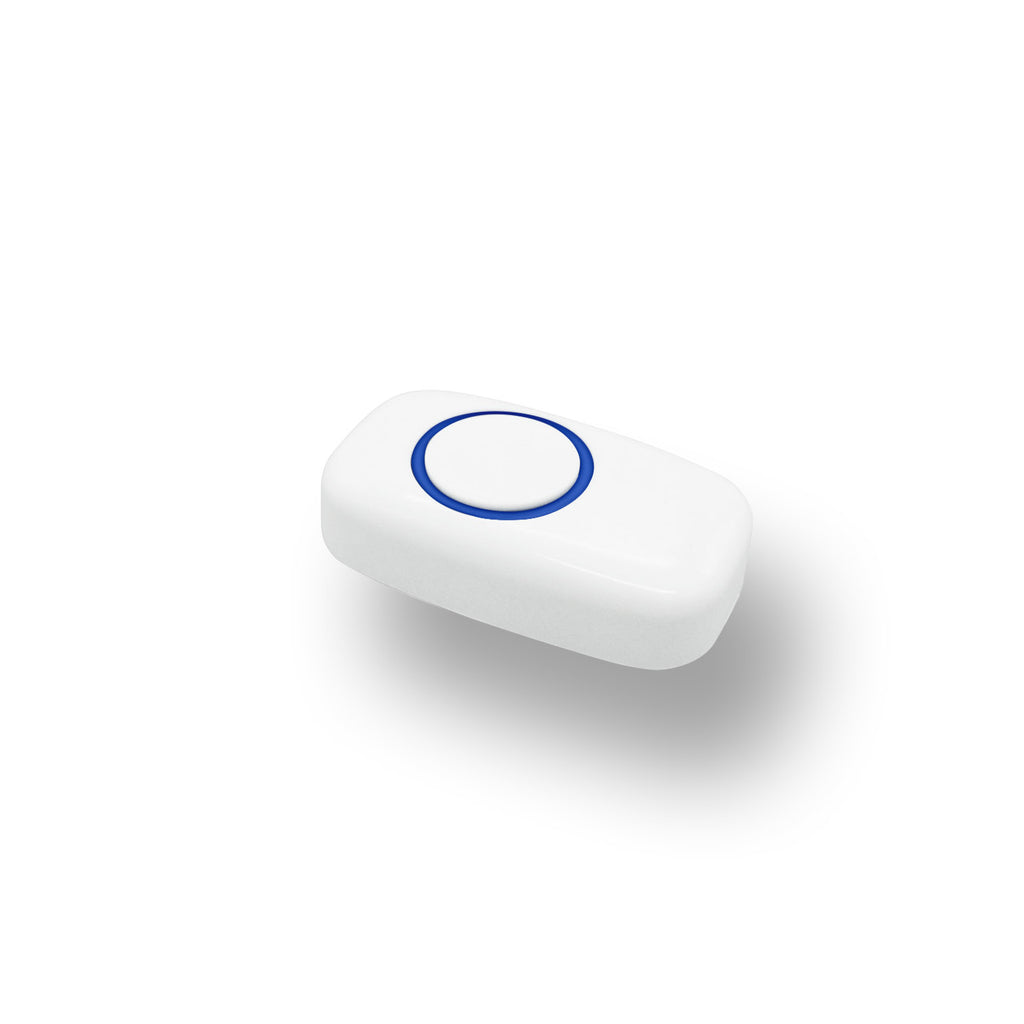
MClimate Multipurpose Button LoRaWAN
€46,80
*14 days 100% money back guarantee & 2 years international warranty
The MClimate Multipurpose Button LoRaWAN® is a versatile device designed for a variety of applications. Supporting three click types (single, double, and triple), it enables users to trigger pre-set actions. The Multipurpose Button is equipped with a temperature sensor and has ultra-low power consumption operating via LoRaWAN®. Its configuration options are virtually limitless, making it suitable for diverse industries and end users’ needs.
MClimate Smart Buildings
If you want to get more details about the technology we employ, gain insights into our solution categories and their suitable applications you can visit this page.
3 Click
Types
Trigger up to 3 pre-configured actions with easy click combinations (single, double and triple).
Temperature sensor
Equipped with a precise temperature sensor, this device measures ambient temperature to help you optimize the indoor climate.
LED Light Indication
The LED indicators positioned around the button show the button’s status.
Ultra-low power consumption
With the right configuration, the device can achieve a battery life of up to 10 years.
Various Applications
From healthcare facilities to hotel settings, the Multipurpose Button adapts to diverse needs.
FUOTA
Updates
Firmware Update Over The Air allows wireless firmware updates for the Multipurpose Button devices in any IoT network.
3 Click
Types
Trigger up to 3 pre-configured actions with easy click combinations (single, double and triple).
Temperature sensor
Equipped with a precise temperature sensor, this device measures ambient temperature to help you optimize the indoor climate.
LED Light Indication
The LED indicators positioned around the button show the button’s status.
Ultra-low power consumption
With the right configuration, the device can achieve a battery life of up to 10 years.
Various Applications
From healthcare facilities to hotel settings, the Multipurpose Button adapts to diverse needs.
FUOTA Updates
Firmware Update Over The Air allows wireless firmware updates for the Multipurpose Button devices in any IoT network.
Hospital & Healthcare
In healthcare spaces, the Multipurpose Button can be placed within easy reach of patients, allowing them to quickly request assistance, enhancing both response times and overall quality of care. A double-click by staff can be set to confirm their response to a patient call, reducing redundant visits.
Patient Assistance Calls
Emergency Alerts
Restocking Medical Supplies
Security Alerts
Patient Assistance Calls
Emergency Alerts
Restocking Medical Supplies
Security Alerts
Hospitality Industry
In hotels the Multipurpose Button can be used for automating many actions.
Housekeeping Requests
Do Not Disturb
Emergency Alerts
Meeting Room or Spa Service Requests for Refreshments
Staff Check-in/Check-out
Housekeeping Requests
Do Not Disturb
Emergency Alerts
Meeting Room or Spa Service Requests for Refreshments
Staff Check-in/Check-out
Student Accommodations
The Multipurpose Button offers various uses in student accommodations as well, including:
Medical Emergency Assistance
Accessible Use for Student with disabilities
Maintenance Requests
Customizable Alerts
Medical Emergency Assistance
Accessible Use for Student with disabilities
Maintenance Requests
Customizable Alerts
Factories, Warehouses and Logistics
The Multipurpose Button can be used in many facilities for:
Machine fault alerts
Requesting material handling support
Shift change notifications
Machine fault alerts
Requesting material handling support
Shift change notifications
Office Buildings
In office buildings can be used for:
Quick assistance requests (e.g., IT support, maintenance)
Booking meeting rooms or notifying when a room is free
Emergency alerts for safety concerns
Quick assistance requests (e.g., IT support, maintenance)
Booking meeting rooms or notifying when a room is free
Emergency alerts for safety concerns
Multiple Commands,
One Smart Button
The MClimate Multipurpose Button LoRaWAN® is designed to have up to 3 commands with single, double, and triple clicks that allow you to trigger actions or send alerts. After each click the button waits for 600ms to check if another click is coming. Once the click type has been determined, the device sends a confirmed uplink with the temperature data and the click type information.
LED indications
The LED indicators show the button’s status: the green LED lights up when pressed and upon successful uplink, side LEDs flash during message sending, and the red LED signals if the message has not been successfully acknowledged, network issues, or duty-cycle restrictions.
Compact Design
The MClimate Multipurpose Button LoRaWAN® is a compact device designed to integrate into various applications and building types, from nursing homes to hotels and office spaces. Equipped with a button and LED ring that shows the status of the device.
Easy to Install
The device can be securely fixed using double-sided tape or more permanently with screws and dowels, making it fast and easy to install. Avoid placement near large metal objects, as they may interfere with RF signal quality. We recommend installing the device in an open environment (e.g. not in a recess).
Applicable to Different Building Types
By supporting 3 click types and measuring temperature the device is suitable for a wide range of building types and environments. It can be used scenarios allowing automation and optimization of processes in schools, offices, public buildings, hotels, hospitals, and more..
HOSPITALS
SOCIAL HOUSING
HISTORIC BUILDINGS
HOTELS
OFFICE BUILDINGS
RESIDENTIAL BUILDINGS
STUDENT ACCOMMODATIONS
Multiple Commands,
One Smart Button
The MClimate Multipurpose Button LoRaWAN® is designed to have up to 3 commands with single, double, and triple clicks that allow you to trigger actions or send alerts. After each click the button waits for 600ms to check if another click is coming. Once the click type has been determined, the device sends a confirmed uplink with the temperature data and the click type information.
LED indications
The LED indicators show the button’s status: the green LED lights up when pressed and upon successful uplink, side LEDs flash during message sending, and the red LED signals if the message has not been successfully acknowledged, network issues, or duty-cycle restrictions.
Compact Design
The MClimate Multipurpose Button LoRaWAN® is a compact device designed to integrate into various applications and building types, from nursing homes to hotels and office spaces. Equipped with a button and LED ring that shows the status of the device.
Easy to Install
The device can be securely fixed using double-sided tape or more permanently with screws and dowels, making it fast and easy to install. Avoid placement near large metal objects, as they may interfere with RF signal quality. We recommend installing the device in an open environment (e.g. not in a recess).
Firmware Updates Over The Air (FUOTA)
FUOTA (Firmware Updates Over the Air) allows devices in an IoT network to be updated wirelessly, without the need for physical access. This means manufacturers and service providers can improve device performance, add new features, and apply updates remotely. MClimate was among the first manufacturers to roll out FUOTA across its entire device portfolio, helping devices stay compliant with new regulations, extend their operational lifetime, and significantly reduce maintenance costs by avoiding manual on-site updates.
Open protocol
We maintain an open protocol for all of our devices including the Multipurpose Button LoRaWAN®, with no vendor lock-in, allowing for seamless integration with different IoT platforms. This flexibility has enabled numerous IoT companies to seamlessly integrate our products into their preferred platforms. However, in our pursuit of delivering best-in-class IoT services, we at MClimate created the Enterprise as a flexible, all-in-one IoT Buildings management platform. Fully open communication protocol allowing integration into different systems including MClimate Enterprise.
Data-driven Analytics with MClimate Enterprise
Use MClimate Enterprise software platform to monitor, analyze and control your daily, weekly, and monthly electricity consumption. Benefit from the option to create custom dashboards and easily generate reports on sustainability measures and much more.
In combination with the MClimate Enterprise you can provide the customized MClimate App to your end users giving them access to easy-navigate geolocation functions and notifications.

BMS integration
You can integrate our devices directly with various Building Management Systems (BMS) and leverage the valuable data they provide.
Technical specifications
| COMPATIBILITY | LoRaWAN 1.0.3, Class A Device; EU868; OTAA; Can be installed on any flat surface |
| SENSORS | Temperature sensor |
| BATTERY | ER10280, 500mAh; Included in the purchase. |
| OPERATING VOLTAGE | 3VDC |
| WEIGHT EXCL. BATTERY | 26gr |
| OPERATING CONDITIONS | 0-50°C; 0-80% Relative Humidity (non-condensing) |
| SIZE | 71x41x18 mm |
| WARRANTY | 2-year limited warranty for end-customers; |
Product specifications
Access more detailed technical specification, datasheet, user manual, payload decoder, operational documentation and more.
FAQs
Can I turn the LED remotely?
Vicki needs to be installed directly on the radiator and be connected to a private or public LoRaWAN network. For free-to-use LoRaWAN networks - please check TheThingsNetwork Coverage Map (https://www.thethingsnetwork.org/map) or Helium (https://explorer.helium.com/)(paid, less than $1 per device per year).
Does the device communicate without a press event?
Vicki works seamlessly with district heating and thermostats. Compatible with RA, RAV and RAVL Valve Adapters.
Can I press it multiple times?
In general, every 7-12 years. This depends mostly on the spreading factor. The smaller the spreading factor, the better the battery life.
Does it keep count?
Vicki will continue operating as usual, but you will not have a remote access to it and schedule will not execute. You will still be able to change the temperature manually from the device itself.
My button flashes in RED?
You can have as many Vicki devices as you have radiators for.
Other recommended devices to combine with
Vicki LoRaWAN® Smart Radiator Thermostat
Vicki LoRaWAN is a radiator thermostatic valve fully compliant with the LoRaWAN standard. It is the perfect choice for large-scale projects as it offers amazing battery life, RF performance and no maintenance for years as well functionalities such as Child Lock, Detection of opened windows and much more.
MClimate Fan Coil Thermostat LoRaWAN
The Fan Coil Thermostat (FCT) is LoRaWAN device for 2- and 4-pipe Fan Coil Units, accommodating 3-speed or ECM fans. Ideal for building retrofitting, it enhances energy efficiency and reduces heating/cooling expenses significantly. With its 4.2” e-ink fast refresh display it allows the end-users to change the target temperature and see current indoor conditions.